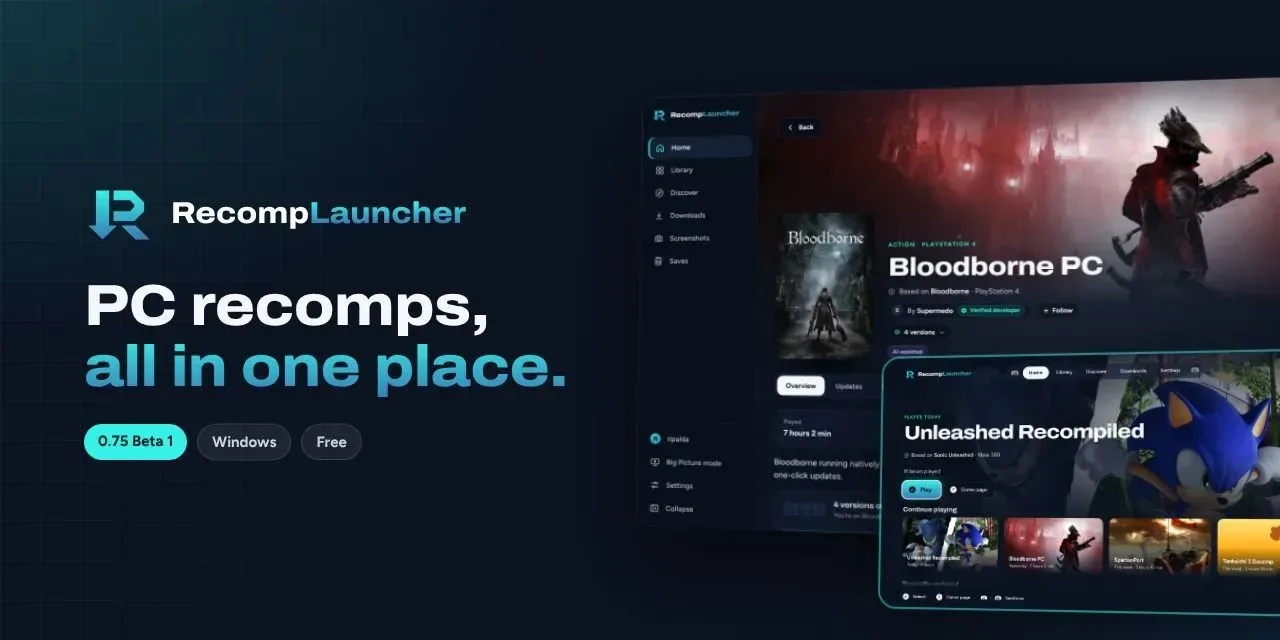
RecompLauncher brings PC recompilations together in one app and enters beta on Windows
The open source launcher finds, installs and updates native ports from each developer's GitHub, always using your own copy of the game. Beta 22 came out on November 7, and Linux is next on its list.
The catalog gets a client
RecompLauncher started as RecompStore, a homebrew tool for jailbroken PS5 consoles. KitGuru reported its relaunch as a web directory of fan-made ports for Windows, Linux and macOS, with a desktop app still in development. That app is now available: elripalda's GPL-3.0 repository released version 0.90.0-beta.22 on November 7 for 64-bit Windows 10 and 11.
The launcher hosts no games. Each install comes from the developer's own GitHub release and is checked against GitHub's checksum. You bring your copy of the game, and for projects that support it, pointing the launcher at a disc image or folder is enough.
In the beta
A Discover section browses the recomplauncher.com catalog with screenshots, requirements and reports from other players on how each port runs. Games with more than one recomp appear once, and you can switch between versions or keep several. Saves are backed up before every update, with cloud saves if you create a free account. There's also a full-screen mode for playing on a TV with a controller, and CRT screen effects per game.
Recent betas improve how game files are detected, tell you what's missing when they can't be found, and let laptops with two GPUs launch a game on the faster one.
Windows may show a SmartScreen warning for this beta. Each release lists the SHA-256 of its installer so you can check you have the right file.
KitGuru notes that not every project in the catalog is fully playable and that some are at an early stage. Linux support comes first, then Mac.